🔐 Why SSH keys beat passwords for accessing your cloud servers
If you're still SSH-ing into your EC2, DigitalOcean, or GCP instance with a password, here's why it's time to switch to key-based authentication.
How SSH actually works
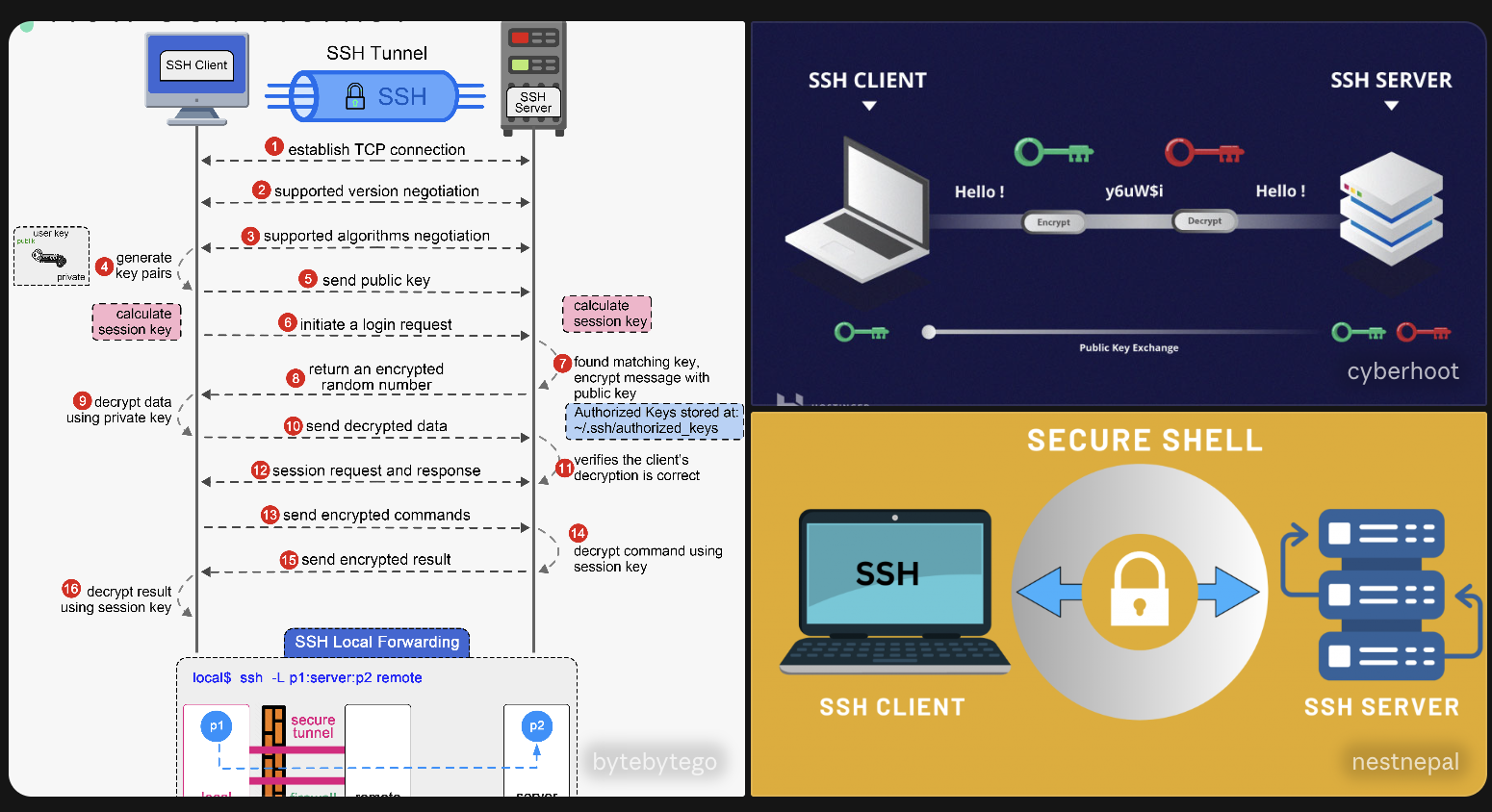
SSH (Secure Shell) uses asymmetric cryptography — a public/private key pair — instead of a shared secret.
- You generate a key pair on your machine: a private key stays with you and is never shared, while the public key goes on the server.
- When you connect, the server verifies that you control the matching private key using the SSH authentication protocol.
- Your private key proves your identity without ever sending a password over the network.
- A secure, encrypted tunnel is established for the rest of the session: commands, file transfers, and everything else.
Why this beats password authentication
- ✅ Nothing to brute-force. Private keys are typically 2048+ bits, versus passwords that are often short, reused, or guessable.
- ✅ No credentials travel over the wire. Even if traffic is intercepted, there is no password to steal.
- ✅ Passphrase + key is strong protection. Your private key can itself be locked with a passphrase.
- ✅ Easy to revoke. Remove one public key from a server without resetting a shared password everyone uses.
- ✅ Auditable. Each team member gets their own key pair, so server access logs actually mean something.
The practical difference
A leaked password can be reused instantly by anyone who finds it. A leaked public key is useless without the private half, which never leaves your device.
If you're managing cloud infrastructure, disabling password login and enforcing SSH keys — plus tools like fail2ban or a bastion host — is one of the highest-leverage security changes you can make in an afternoon.
Do you enforce key-only SSH access on your servers, or are you still relying on passwords?